# Customizing Apps

Toucan, we believe that customization of data applications is a key success factor for analytics adoption.

In Toucan customization can serve three main purposes:

* **Perfectly blend analytics design with your branding and product design guidelines** so the analytics look just like they come out of your team
* **Storytell your data** with shapes, colors, and texts that add meaning & impact to your insights
* **Improve and guide the user experience** through custom redirections, messages, and tutorials

Find out more about our app customization capabilities in this section

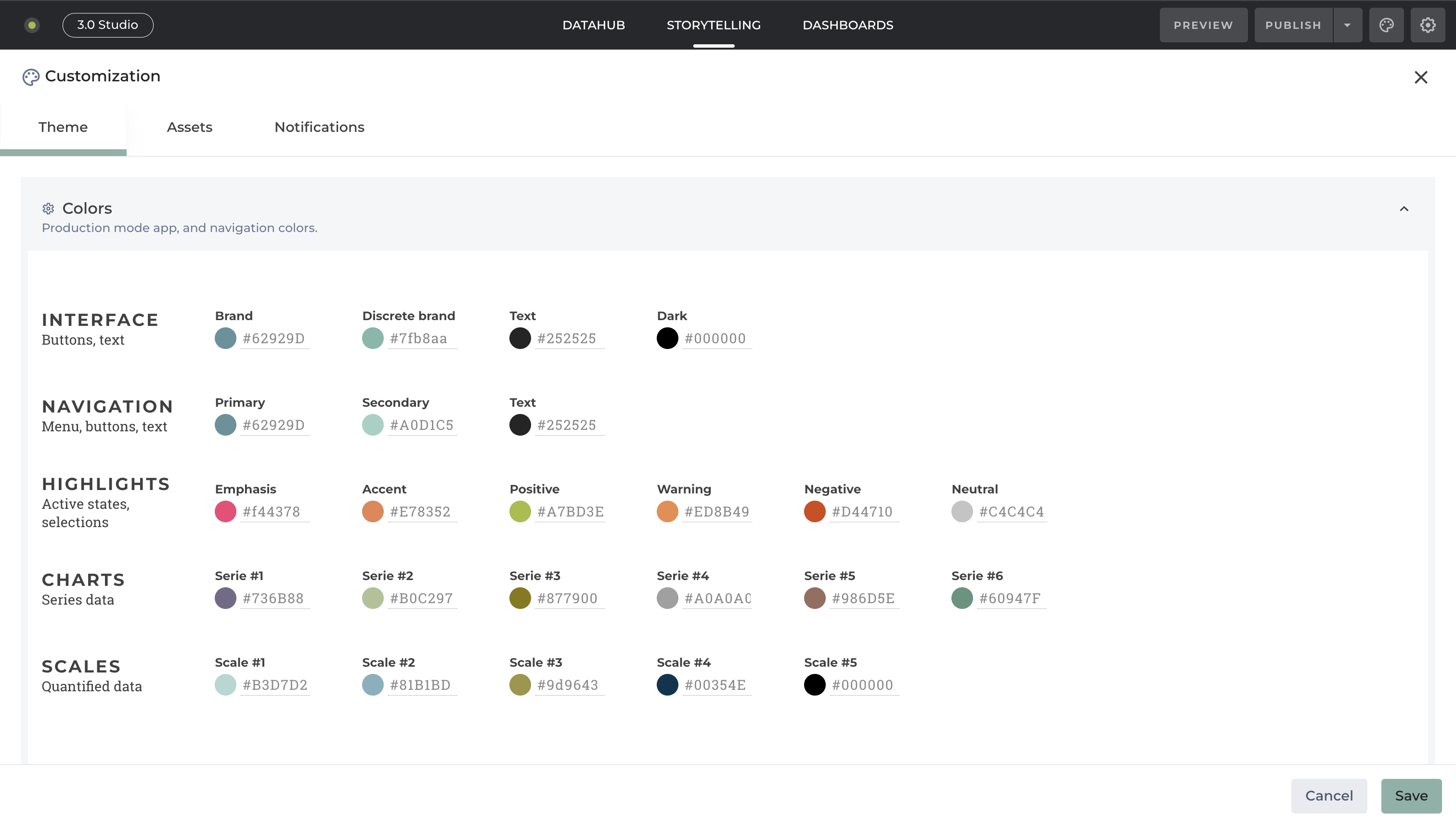
<figure><img src="/files/iL3AC7v6OZPF38GKFJWD" alt=""><figcaption><p>Color customization</p></figcaption></figure>

<table data-view="cards"><thead><tr><th></th><th></th><th></th><th data-hidden data-card-target data-type="content-ref"></th></tr></thead><tbody><tr><td></td><td>Customizing chart color elements</td><td></td><td><a href="/pages/H8zUpH8Id8lub2Eo4Jyy">/pages/H8zUpH8Id8lub2Eo4Jyy</a></td></tr><tr><td></td><td>Customizing the app's font</td><td></td><td><a href="/pages/RrKKbNIAaKi1KlxdTm0c">/pages/RrKKbNIAaKi1KlxdTm0c</a></td></tr><tr><td></td><td>Adding Assets</td><td></td><td><a href="/pages/Gkqcq4gGleA2hGQOq7E0">/pages/Gkqcq4gGleA2hGQOq7E0</a></td></tr><tr><td></td><td>Adding Glossary</td><td></td><td><a href="/pages/Jil9Si3FP2BbfojZUcpc">/pages/Jil9Si3FP2BbfojZUcpc</a></td></tr><tr><td>Setting up, Managing and testint custom visibilities</td><td></td><td></td><td><a href="/pages/inrqWwX4gg5M0covXAyL">/pages/inrqWwX4gg5M0covXAyL</a></td></tr><tr><td>Customizing the "no data error" message</td><td></td><td></td><td><a href="/pages/k5iJfsAbXLBkAjxMmVFq">/pages/k5iJfsAbXLBkAjxMmVFq</a></td></tr><tr><td>Creating a dynamic background based on an Filter's column</td><td></td><td></td><td><a href="/pages/B7pn0993MOujbmFdYG8V">/pages/B7pn0993MOujbmFdYG8V</a></td></tr></tbody></table>


---

# Agent Instructions: Querying This Documentation

If you need additional information that is not directly available in this page, you can query the documentation dynamically by asking a question.

Perform an HTTP GET request on the current page URL with the `ask` query parameter:

```
GET https://docs-v3.toucantoco.com/visualizations-and-layouts/apps/customizing-apps.md?ask=<question>
```

The question should be specific, self-contained, and written in natural language.
The response will contain a direct answer to the question and relevant excerpts and sources from the documentation.

Use this mechanism when the answer is not explicitly present in the current page, you need clarification or additional context, or you want to retrieve related documentation sections.
