> For the complete documentation index, see [llms.txt](https://docs-v3.toucantoco.com/llms.txt). Markdown versions of documentation pages are available by appending `.md` to page URLs; this page is available as [Markdown](https://docs-v3.toucantoco.com/visualizations-and-layouts/apps.md).
# Apps
## Introduction to the apps
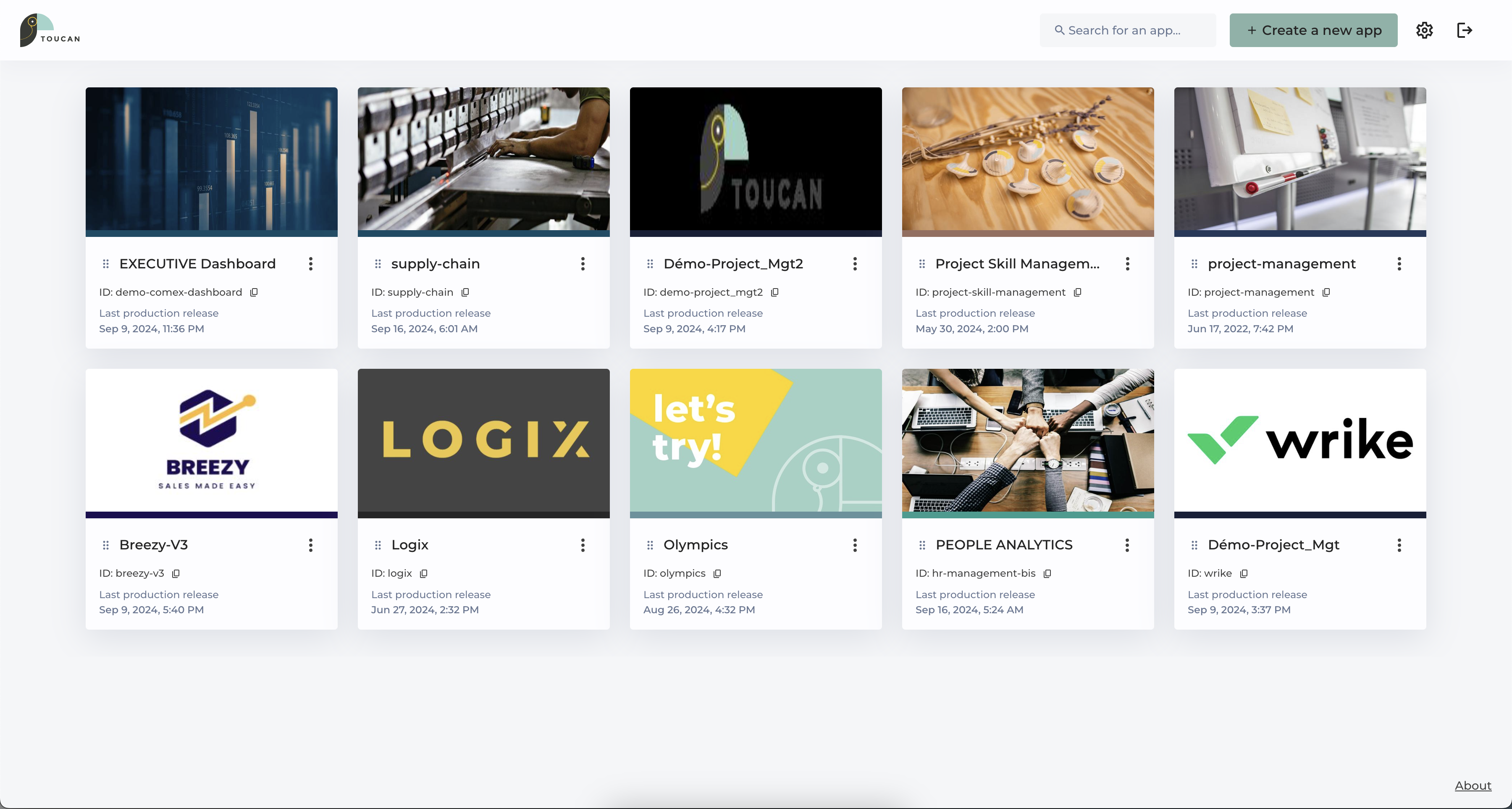
**Apps** are the heart of a Toucan platform that are stored in the **App Store.**
They have the goal to split your data and visualisations between projects, teams or business units in order to guide your collaborators to pick the right **App** for the right insights without being submerged unrelated KPIs.
App Store
## Layouts in Toucan
Layouts are "pre-built" ways to arrange and distribute insights.
They include our core storytelling layouts which have been designed as a book:
1. **The Home**
2. **The Stories**, grouped in **Chapters and Subchapters**
To go further in the way you're communicating your data, you can access other pre-build **Layouts** that can help you in different context such as:
* PDF Report
* Datawall
* Dashboard Builder
* My Favorites
Here's a quick look at a home page, and our ability to set up bookmarks (MyFavorites), PDF Reports and Datawall to communicate data to your users.
{% embed url="" %}
Broadcast your data to the world!
{% endembed %}
---
# Agent Instructions
This documentation is published with GitBook. GitBook is the documentation platform designed so that both humans and AI agents can read, navigate, and reason over technical content effectively. Learn more at gitbook.com.
## Querying This Documentation
If you need additional information that is not directly available in this page, you can query the documentation dynamically by asking a question.
Perform an HTTP GET request on the current page URL with the `ask` query parameter, and the optional `goal` query parameter:
```
GET https://docs-v3.toucantoco.com/visualizations-and-layouts/apps.md?ask=&goal=
```
`ask` is the immediate question: it should be specific, self-contained, and written in natural language.
`goal` is optional and describes the broader end goal you are ultimately trying to accomplish on behalf of the user. GitBook uses it to tailor the answer towards what is most useful for that goal.
The response will contain a direct answer to the question and relevant excerpts and sources from the documentation.
Use this mechanism when the answer is not explicitly present in the current page, you need clarification or additional context, or you want to retrieve related documentation sections.